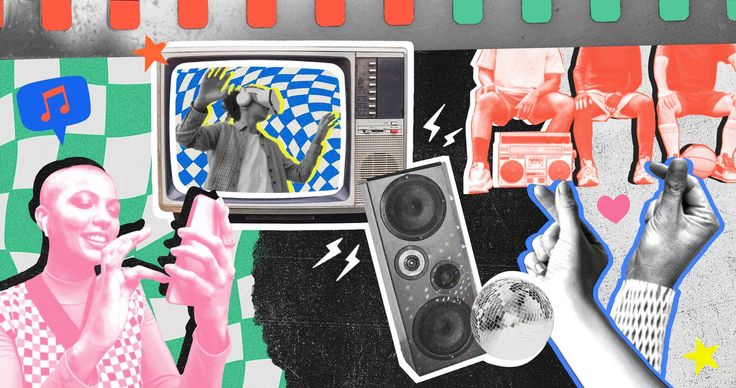
The Screen-First World
Defining Digital Design Digital design is the creation of visual content intended for electronic display—like websites, mobile apps, social media, and video games. It’s a vast field that blends visual aesthetics with functionality and interactivity. Essentially, if you see it on a screen, a digital designer probably made it.




Digital vs. Graphic Design While often confused, digital design is different from traditional graphic design. Graphic design focuses heavily on static media (print, logos, packaging), while digital design is dynamic, responsive, and interactive. Digital designers must think about how the user will click, tap, swipe, and navigate the content.
The Core Disciplines of Digital Design
User Interface (UI) Design UI Design focuses on the look and feel of the digital product. It involves choosing color palettes, typography, buttons, and overall visual style. A UI designer’s goal is to create an interface that is visually appealing, consistent, and reflective of the brand identity.
User Experience (UX) Design UX Design is all about the functionality and usability—how the user feels when interacting with the product. It’s less about how things look and more about how they work. UX designers use research, wireframes, and prototypes to ensure a logical and efficient flow through the app or website.
Web Design & Development Web Design brings UI and UX together to build the layouts and visual presence of a website. This requires a designer to consider responsive design—how the site adapts to desktops, tablets, and phones—and often involves collaboration with developers using code like HTML and CSS.esign is important because:
Motion Graphics and 3D Design Beyond static images, digital design includes motion graphics (animations for ads, explainer videos, and interfaces) and 3D modeling (for video games, AR/VR experiences, or product visualization). These fields add an extra layer of engagement and depth to the digital world.
Essential Principles for Modern Creators
Consistency is King A fundamental principle is consistency. Every button, font style, and color should look and behave the same way across all screens and platforms. This familiarity reduces the user’s cognitive load and builds trust in the product or brand.
Digital design includes many caVisual Hierarchy and Contrast Good design uses visual hierarchy to guide the user’s eye. Using contrast (e.g., bold headers, bright buttons) helps emphasize the most important information first. Users should be able to instantly tell where they need to look and what they need to click.tegories. Here are the most important ones:
White Space and Simplicity White space (or negative space) is the empty area around elements, and it’s a designer’s friend. It prevents clutter, improves readability, and makes the focal point stand out. Embracing functional minimalism results in a cleaner, more intuitive, and user-friendly experience.
Accessibility First Modern design must be accessible to everyone. This includes using large enough text, high-contrast colors, and proper labeling for screen readers. Designing for accessibility isn’t just ethical—it broadens your audience significantly.
The Digital Designer’s Toolkit 🛠️
Vector and Raster Software Digital designers primarily use two types of files: Vector (scalable graphics like logos, created in tools like Adobe Illustrator or Affinity Designer) and Raster (pixel-based images like photos, edited in Adobe Photoshop). Understanding the difference is crucial for high-quality, flexible design.
UX / UX
UI/UX & Prototyping Tools The industry standard for building user interfaces and interactive prototypes are collaborative, cloud-based tools like Figma and Sketch. These platforms allow designers to quickly test ideas and work simultaneously with developers and other team members.
Other Essential Utilities Creators also rely on tools like Adobe After Effects for motion graphics, Blender for 3D modeling, and platforms like Canva for fast, template-based social media and marketing graphics. The right tool depends entirely on the specialized type of design being created.
A Look at the History
Early Digital Art (1960s-1980s) Digital design began in the 1960s and 70s with early experiments in computer graphics and video games (like the Magnavox Odyssey). The 1980s saw the rise of personal computers (like the Apple II), which brought graphics and type manipulation tools out of the lab and into the hands of artists.
The Desktop Revolution (1990s) The 1990s saw the true digital revolution with the advent of the World Wide Web and Desktop Publishing (DTP). Tools like Photoshop, Illustrator, and the early web browser made it possible for virtually anyone to create and publish digital content, leading to the early, often chaotic, and experimental “digital aesthetic.”
Modern UX/UI Focus Today, the field is dominated by User-Centric Design. Following the rise of smartphones and mobile apps, the focus shifted from simply making things look cool to making things work seamlessly for the user, solidifying UX/UI as the industry’s highest priority.
Leave a Reply