
In this story
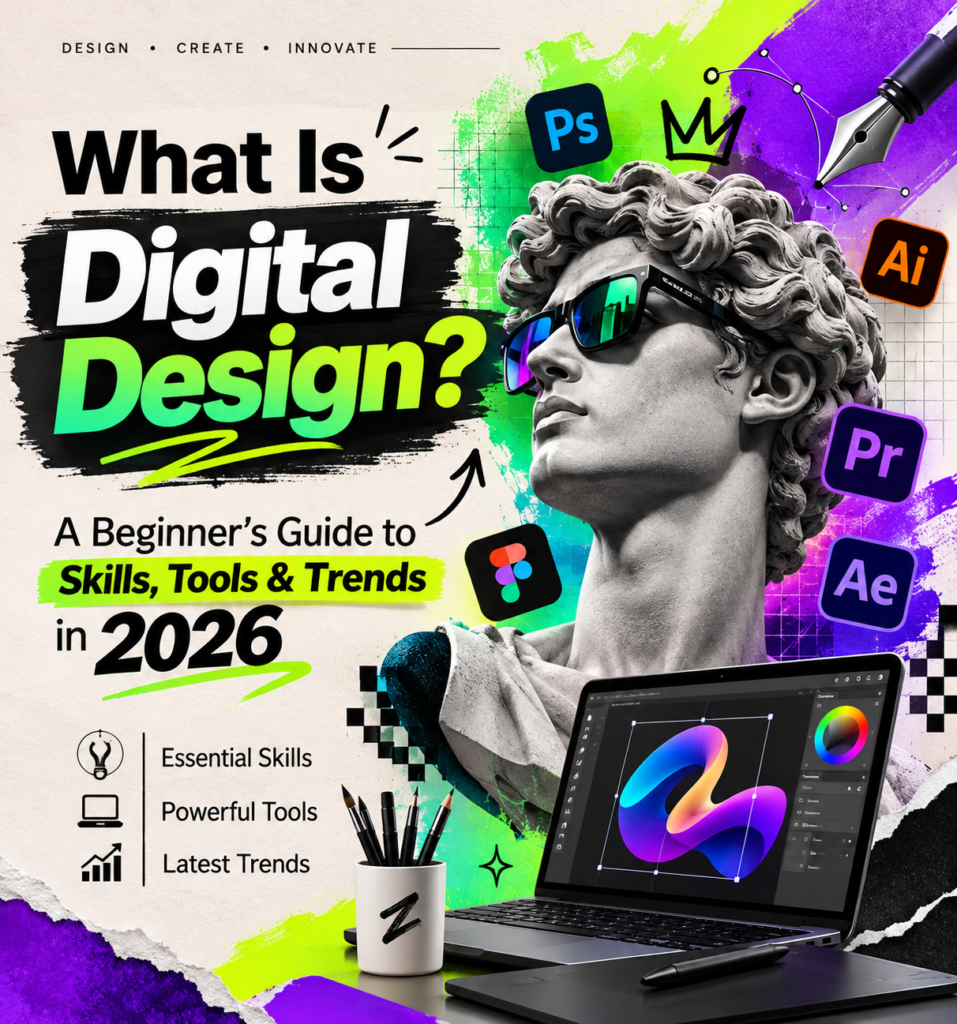
Digital design is part of everyday life, from websites and mobile apps to social media graphics and online videos. It shapes how we interact with and experience the digital world.
But what is digital design, how is it different from graphic design, and what tools and skills do you need to get started?
In this guide, discover the basics of digital design in 2026, including UI/UX principles, website design, AI tools, popular software, and career opportunities.
What Is Digital Design?
Digital design is the process of creating visual content and interactive experiences for digital platforms. These include websites, mobile applications, online advertisements, social media graphics, digital publications, video games, and much more.
Unlike traditional print design, digital design often needs to respond to different screen sizes, devices, and user actions. A website, for example, should look good on a desktop computer while remaining easy to navigate on a smartphone.
Good digital design is not just about making something attractive. It should also help people understand information, complete tasks, find what they need, and enjoy using a product.
Think about an online shopping website. Clear product images, readable descriptions, simple navigation, and an easy checkout process all contribute to the experience. Each of these elements involves design decisions.
In other words, digital design brings together creativity, technology, and problem-solving.
Digital Design vs. Graphic Design: What’s the Difference?
Digital design and graphic design share many skills, but they are not exactly the same.
Graphic design traditionally focuses on communicating through visual elements such as typography, images, layouts, logos, posters, packaging, and printed materials. Digital design covers visual communication too, but it also considers how people interact with content on a screen.
For example, a graphic designer might create a promotional poster for a company. A digital designer might create the company’s website, mobile experience, interactive advertisement, and social media content.
There is plenty of overlap between the two professions. Many designers work across both areas, depending on their clients and projects.
If you want to explore this topic in more detail, read our guide:
The Main Types of Digital Design
Digital design covers several disciplines. Some focus on appearance, while others concentrate on usability, interaction, or animation.
Here are the main areas worth understanding.
1. User Interface (UI) Design
User interface design focuses on the visual parts of a website, app, or digital product that people interact with.
This includes:
- Buttons, menus, and navigation bars.
- Colors, typography, and icons.
- Page layouts and visual elements.
- Forms, dashboards, and interactive components.
- Spacing, alignment, and consistency.
A UI designer wants an interface to feel clear, attractive, and easy to understand. For example, when you open a banking app, you should be able to find your balance, recent transactions, and payment options without searching through confusing menus.
2. User Experience (UX) Design
User experience design looks at the bigger picture: how people feel when they use a digital product.
A website can have beautiful colors and impressive graphics but still be frustrating if visitors cannot find important information. That’s where UX design becomes important.
UX designers research user needs, organize information, create wireframes, test ideas, and improve the way people move through a product.
Common UX activities include:
- Understanding the target audience.
- Researching user behavior and expectations.
- Creating user journeys and wireframes.
- Building and testing prototypes.
- Improving navigation and accessibility.
UI and UX work closely together, but they solve different problems. UI helps determine how an interface looks, while UX focuses on how well the entire experience works.
3. Web Design
Web design is one of the most familiar forms of digital design. It involves planning and creating the appearance, layout, and structure of websites.
A web designer considers how visitors will move through a website, where information should appear, and how the pages will adapt to different devices.
Modern website design usually involves:
- Responsive layouts for computers, tablets, and phones.
- Clear navigation and readable content.
- Consistent branding and typography.
- Fast-loading images and optimized pages.
- Accessible forms and interactive elements.
Basic knowledge of HTML and CSS can also be useful, especially when working with developers or building websites independently.
4. Social Media and Digital Marketing Design
Businesses rely on digital content to reach customers online. This creates demand for designers who can produce graphics that communicate a message quickly.
Examples include:
- Instagram and Facebook posts.
- YouTube thumbnails and channel graphics.
- Online advertisements and banners.
- Email marketing visuals.
- Promotional graphics and product images.
The challenge is not simply creating something that looks good. The design must also fit the platform, communicate the right message, and remain recognizable as part of a brand.
5. Motion Graphics and 3D Design
Digital design is not limited to still images. Animation and three-dimensional graphics are used in advertising, entertainment, education, product demonstrations, and digital experiences.
Motion graphics bring text, shapes, and illustrations to life through movement. You might see them in an animated logo, an explainer video, or a short advertisement.
3D design involves creating objects and environments with depth, lighting, materials, and realistic or stylized textures. It is widely used in product visualization, video games, architecture, and virtual experiences.
6. AI-Assisted Digital Design
Artificial intelligence has become an important part of modern creative workflows.
AI-powered tools can help designers generate visual ideas, explore different styles, remove backgrounds, create image variations, prepare layouts, and speed up repetitive tasks.
However, AI does not automatically produce a good design. The designer still needs to make decisions about composition, visual identity, accuracy, accessibility, and the needs of the audience.
A practical workflow might look like this:
- Start with a clear creative brief.
- Use AI to explore initial concepts or visual directions.
- Select and refine the strongest ideas.
- Adjust typography, spacing, colors, and composition.
- Check the final result across different devices and screen sizes.
AI is most useful when it supports creative thinking rather than replacing it.
Essential Principles of Good Digital Design
Whether you’re creating a website, an app, or a social media advertisement, a few basic principles can make a significant difference.
Visual Hierarchy
Visual hierarchy helps visitors understand what matters first. Designers use headings, font sizes, spacing, colors, and positioning to guide attention.
For example, an important headline should stand out from the supporting text, while a primary button should be easy to identify.
Without a clear hierarchy, even useful information can become difficult to understand.
Consistency
Consistency makes a digital product feel familiar. Buttons, colors, fonts, icons, and navigation elements should follow a recognizable visual system.
This is especially important for businesses. When a website, mobile app, and social media pages share a consistent identity, customers can recognize the brand more easily.
White Space and Simplicity
White space, also called negative space, is the empty area between design elements.
It gives content room to breathe, improves readability, and prevents pages from feeling overcrowded.
More elements do not necessarily make a design better. Often, removing unnecessary details creates a much stronger result.
Responsive Design
People use websites on different devices, from large desktop monitors to small smartphones. A responsive design adjusts its layout to suit the available screen space.
For example, a desktop navigation menu may become a compact mobile menu, while a three-column layout may change into a single-column arrangement.
Designers should test their work on different screen sizes instead of assuming that a desktop layout will automatically work on a phone.
Accessibility
A good digital experience should be usable by as many people as possible, including people with disabilities.
Some important accessibility practices include:
- Using sufficient color contrast.
- Providing meaningful alternative text for images.
- Making navigation possible with a keyboard.
- Using clear labels for forms and buttons.
- Choosing readable font sizes.
- Avoiding designs that rely on color alone to communicate information.
The Web Content Accessibility Guidelines (WCAG 2.2) from the World Wide Web Consortium (W3C) provide internationally recognized guidance for making websites and digital content more accessible.
Best Digital Design Tools to Learn in 2026
You do not need to learn every design application to become a good designer. The right tools depend on the kind of work you want to create.
Here are several useful options.
Figma – UI Design and Prototyping
Figma is widely used for designing interfaces, creating website layouts, building prototypes, and collaborating with other people.
It allows designers to create interactive previews before a website or application is developed.
Its official prototyping guide is a useful place to start.
Adobe Photoshop – Photo Editing and Image Design
Adobe Photoshop is commonly used for photo editing, image manipulation, digital artwork, and marketing graphics.
It is particularly useful when a project involves detailed image adjustments or combining multiple visual elements.
Adobe Illustrator – Vector Graphics
Adobe Illustrator is designed for creating vector artwork, including logos, icons, illustrations, and scalable graphics.
Vector files are useful when the same design needs to appear at different sizes without losing sharpness.
Adobe explains the differences between raster and vector graphics.
Canva – Design for Beginners and Businesses
Canva is a practical option for people who want to create graphics without spending a long time learning professional design software.
It offers templates and editing features for presentations, social media posts, posters, marketing materials, and other visual content.
You can also explore our related guide: Canvas Art: A Complete Guide for Creators.
Blender – 3D Design
Blender is a free, open-source 3D creation application. It supports modeling, animation, rendering, and visual effects.
It can be a good starting point for creators interested in 3D artwork, product visualization, and animation.
Adobe After Effects – Motion Graphics
Adobe After Effects is used to create motion graphics, animated titles, visual effects, and video compositions.
It is particularly useful for designers who want to move beyond static graphics and explore animation.
Digital Design Skills That Matter Today
Learning software is only one part of becoming a digital designer. Understanding design principles and knowing how to solve real problems are just as important.
Here are some skills worth developing:
Typography: Understanding fonts, readability, spacing, and how text communicates a visual message.
Color theory: Knowing how colors work together and how they influence the appearance and clarity of a design.
Layout and composition: Organizing images, text, and other elements so that information is easy to follow.
UI and UX fundamentals: Understanding how people interact with websites and applications.
Responsive design: Creating experiences that work across different screen sizes.
Communication: Explaining design decisions and understanding what clients, businesses, or users actually need.
AI literacy: Knowing how to use AI tools responsibly, evaluate their results, and improve generated content.
Problem-solving: Finding practical solutions instead of focusing only on visual appearance.
You do not have to master all these skills at once. Start with the basics and build your knowledge through real projects.
Is Digital Design a Good Career in the United States?
Digital design can offer opportunities in different industries, including technology, e-commerce, education, advertising, finance, entertainment, and healthcare.
Businesses need websites, applications, digital products, and online marketing materials. As a result, designers with a combination of visual, technical, and user-focused skills can work in several professional areas.
According to the U.S. Bureau of Labor Statistics, employment for web developers and digital designers is projected to grow by 5% between 2025 and 2035. The agency also reports a May 2025 median annual wage of $104,000 for web and digital interface designers.
These figures describe a broad occupational category, not a guaranteed salary for every digital designer. Actual earnings depend on experience, location, specialization, employer, and the type of work.
Some career paths to explore include:
- UI Designer
- UX Designer
- Web Designer
- Digital Graphic Designer
- Product Designer
- Motion Graphics Designer
- 3D Designer
- Digital Marketing Designer
For people interested in this field, a strong portfolio is often just as important as knowing which software to use. A few well-explained projects can demonstrate your creative process, technical skills, and ability to solve design problems.
How to Start Learning Digital Design as a Beginner
If you’re completely new to digital design, the best approach is to learn one area at a time.
Step 1: Understand the fundamentals.
Start with typography, color, composition, visual hierarchy, and spacing. These principles apply to almost every type of digital project.
Step 2: Choose one design tool.
Try Canva if you want an easy introduction to visual content, or Figma if you’re interested in websites, applications, and interface design.
Step 3: Study designs you like.
Look at websites, mobile applications, advertisements, and digital products. Pay attention to how they organize information and guide users.
Step 4: Create small projects.
Design a simple landing page, a mobile app screen, a social media campaign, or a product advertisement. Start small and improve each project.
Step 5: Learn from feedback.
Ask other people to review your work. Find out whether the design is clear, easy to use, and visually consistent.
Step 6: Build a portfolio.
Collect your best projects and explain the problem, your approach, and the final result. A portfolio gives potential employers and clients a better understanding of what you can do.
You can learn many fundamentals independently through practice, tutorials, and free educational resources. More advanced specializations may require additional training and experience.
The Future of Digital Design: What to Expect Beyond 2026
Digital design continues to change as technology and user expectations develop.
Artificial intelligence is making it easier to explore creative concepts and automate certain tasks. At the same time, businesses still need people who can understand their audiences, make thoughtful design decisions, and create useful digital experiences.
Several areas are worth watching:
AI-assisted workflows: Designers will continue exploring ways to combine human creativity with AI-powered tools.
More accessible digital products: Accessibility is becoming an important part of responsible website and application design.
Personalized experiences: Digital products can adapt content and recommendations to different user needs, provided personalization respects privacy.
Interactive content: Animation, 3D visuals, and interactive experiences offer new ways to present information.
Design systems: Businesses increasingly benefit from reusable components and consistent design rules across their digital products.
Mobile-first experiences: Smartphones remain central to how people access online services, making mobile usability an important design consideration.
The future is not simply about using the newest software. It is about understanding people, choosing the right technology, and creating digital experiences that solve real problems.
Frequently Asked Questions About Digital Design
What is digital design in simple words?
Digital design is the creation of visual content and interactive experiences for screens. Examples include websites, mobile apps, online advertisements, social media graphics, and digital illustrations.
Is digital design the same as graphic design?
No. Graphic design traditionally focuses on visual communication through print and digital media, while digital design also includes interactive experiences, responsive layouts, websites, and applications. The two fields overlap in many areas.
Do I need coding skills to become a digital designer?
Not always. Many digital designers use visual design tools without writing code. However, basic HTML and CSS knowledge can be helpful, particularly for web designers who work with developers or build websites.
Which digital design software is best for beginners?
Canva is a friendly starting point for creating social media graphics and marketing materials. Figma is a strong option for learning UI design, website layouts, and interactive prototypes. The best choice depends on your goals.
Can AI replace digital designers?
AI can assist with image creation, layout ideas, and repetitive tasks, but it does not automatically understand every business goal, user need, or design problem. Designers who combine creative judgment, technical knowledge, and AI skills can use these tools to improve their workflows.
Is digital design in demand in the United States?
Digital design skills are used across technology, e-commerce, marketing, and other industries. The U.S. Bureau of Labor Statistics projects 5% employment growth for web developers and digital designers from 2025 to 2035. Individual opportunities depend on experience, specialization, and the job market.
How long does it take to learn digital design?
You can learn basic design principles and start creating simple projects within a few weeks of consistent practice. Developing professional-level skills takes longer and depends on your goals, learning schedule, and the complexity of your chosen specialization.
Final Thoughts
Digital design is much more than creating attractive images. It combines creativity, technology, communication, and problem-solving to make digital products easier to understand and use.
Whether you want to design websites, build mobile interfaces, create marketing graphics, experiment with AI, or explore 3D artwork, there are several ways to enter this field.
Start with the fundamentals, choose tools that match your interests, and keep building practical projects. The most valuable skill is not knowing every design application. It is understanding how to turn an idea into a clear and useful experience.
At Zawana Blog, we continue exploring digital creativity, artificial intelligence, and the technology shaping the way people create and work.


5 comments
Join the conversationMentioned elsewhere
Pingback: What Is a Digital Twin? How It Works and Real-World Examples
Pingback: 35 Best ChatGPT Prompts for Business in 2027: Grow Smarter with AI - Zawana
Pingback: Best AI Video Generators for YouTube in 2026: 10 Powerful Tools
Pingback: Digital Design vs. Graphic Design: What’s the Difference in 2027?
Pingback: Canva in 2026: A Complete Guide to Features, AI Tools & Design Tips - Zawana